The template runs in Memento Database on the technician's phone, and MQSync turns the recorded travel and labor into lines on the QuickBooks Online invoice.
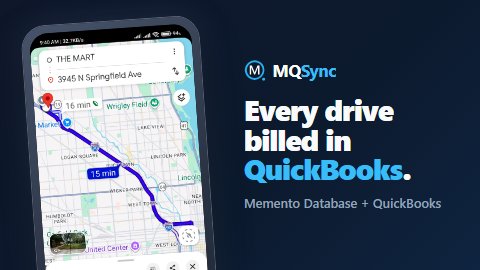 See it in 84 seconds
From the drive to the paid invoice · 1.5 min on YouTube
How a job goes
- Leaving for the job: tap Start travel. On arrival, tap Arrived.
- On site: tap Start work when you begin and Stop work when you finish.
- Done: tap Add time to invoice. The work order gets two lines, Travel and Labor, in hours, priced at the hourly rates you keep in QuickBooks.
- Tap Play and sync. MQSync creates the invoice in QuickBooks, QuickBooks emails it to the customer, and the invoice PDF comes back to the work order.
Actual time or office estimate
- Actual (default): the Start travel and Arrived buttons record the real trip. No setup, and it works without signal.
- From office: Route from office asks Google Maps for the drive time from a fixed office address to the customer. A fixed starting point is easy to explain to a customer, and a well-planned route with several stops is your own gain. It needs your own Google Maps key; a free Maps Demo Key is enough to try it.
Your billing rules, per work order
- Round trip or one way.
- Rounding to 0.1 h, to 15 minutes, or exact.
- Line order on the invoice, set once per item: for example Labor first, Travel last.
Rates live in QuickBooks
Travel and Labor are ordinary services with an hourly price, created in QuickBooks or in Memento and synced across. Change a rate in QuickBooks and the next work orders use it. The invoice is a normal QuickBooks invoice: your numbering, your email settings, your reports.
What you need
- Memento Database on Android with Memento Pro, and the free Time & Travel template.
- QuickBooks Online (US).
- MQSync. The 7-day trial includes everything on this page.
Setting up from scratch? Follow the setup guide.